
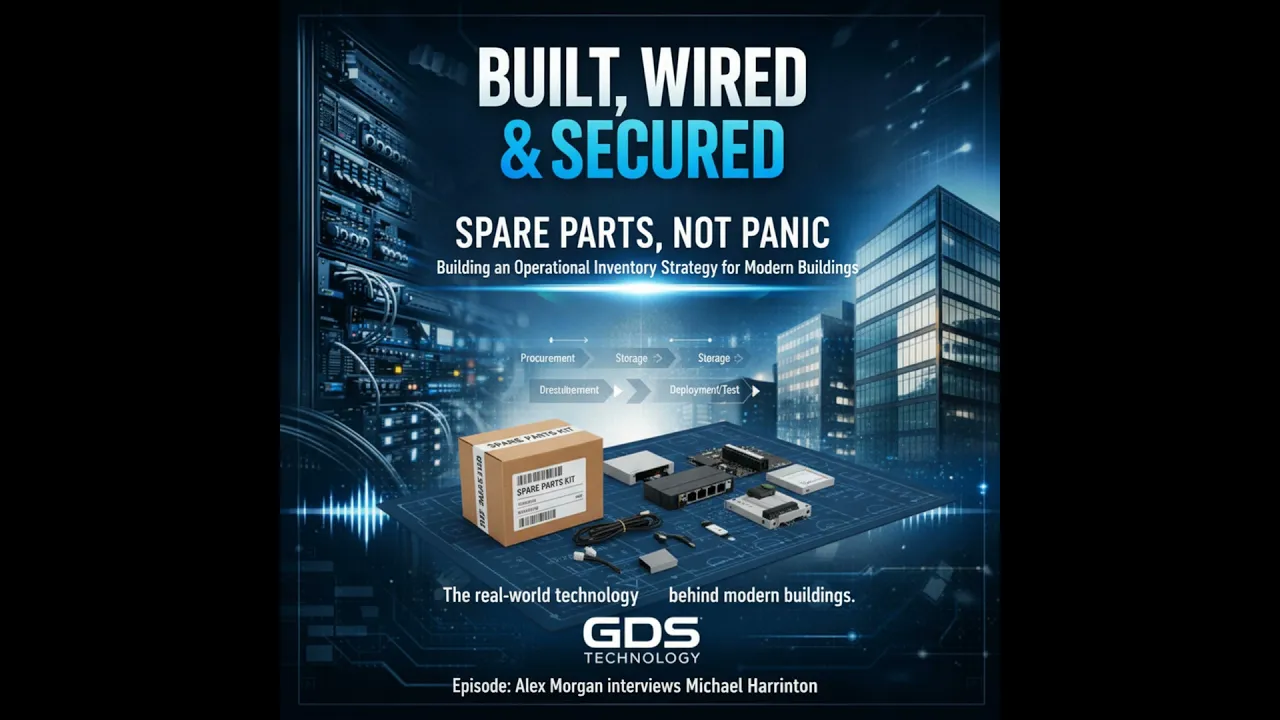
Show Notes
When a Small Part Becomes a Major Outage
A building technology outage does not always begin with a dramatic failure. In this episode of Built, Wired & Secured, the conversation starts with a familiar scenario: it is mid-morning on a busy weekday, tenants are working, the building automation dashboard begins alarming, and the network switch supporting access control and guest Wi-Fi goes dark.
The facilities team identifies the failed switch quickly. The actual replacement, however, becomes the problem. There is no spare on site, the vendor lead time is three weeks, and what should have been a routine repair becomes a tenant-impacting outage.
The central message is simple: spare parts are not merely a purchasing expense. They are an operational risk-management decision that can reduce mean time to repair, protect revenue, and preserve occupant experience.
Why Spares Matter to Building Operations
For every component, teams should ask one direct question: what breaks if this goes down?
If the failure affects tenant safety, security, revenue-generating work, or normal business operations, there needs to be a plan. Hardware lead times are often longer than teams expect, and the gap between failure and replacement is where downtime, emergency purchasing, and tenant frustration appear.
Three realities commonly converge:
- The cost of downtime: The impact is not limited to direct dollars. Lost tenant trust can be just as significant.
- Procurement constraints: Standard SKUs can be discontinued, while supplier lead times may run six to eight weeks or longer.
- BOM drift: Building components can change over time through tenant work, convenience replacements, and incremental refreshes without documentation being updated.
Together, these conditions create hidden single points of failure. A deliberate spare-parts strategy helps operators identify and manage those risks before a production failure exposes them.
Why Spare-Parts Programs Fail
The episode identifies four common failure patterns.
- Bill-of-materials drift: A buildout team may leave a baseline bill of materials, but years later a tenant contractor may replace an access controller without updating the documentation.
- Buy-to-fail procurement habits: Teams assume they can obtain a replacement when something fails, until a part is unavailable or delayed.
- Single-source dependency: Proprietary modules and discontinued SKUs can leave a building exposed when a specific component fails.
- Poor storage culture: Parts stored without testing, labeling, or ownership may not function when they are finally needed.
That last point is especially important. A spare that will not boot, has an incompatible firmware version, or cannot be located quickly is not operational insurance. It is wasted capital.
Classifying Critical Components
Not every item requires the same level of inventory investment. The recommended approach is to treat spares like an insurance policy with a tiered premium: the greater the operational impact, the greater the willingness to maintain local availability.
For each component, ask:
- Does failure affect life safety or security?
- Does failure interrupt tenant revenue-generating activity?
- Does failure create cascading failures in other systems?
If the answer is yes to any of these questions, classify the component as critical. For critical items, the practical target is one hot spare on site and one backup offsite or held by a trusted partner.
For lower-impact equipment, teams can consider vendor consignment, managed inventory, or just-in-time procurement. Standardizing SKUs where possible also makes inventory more efficient, allowing a single spare to cover multiple locations without increasing risk.
Turning Inventory Into an Operational Program
A repeatable spare-parts program begins with an inventory audit. Map each system to its SKU, then document lead times and end-of-life dates. After components are classified by impact, establish an appropriate testing cadence and storage standard.
- Perform quarterly smoke tests for network and access-control spares.
- Perform semiannual power-up checks for controllers.
- Assign every item a unique ID.
- Record the date of the last test and the next test due.
- Use climate-controlled storage and static-safe packaging for electronics.
- Label items clearly and assign a single accountable owner.
For costly or bulky equipment, vendor consignment may reduce capital tied up in inventory. Teams should also negotiate RMA windows into vendor contracts. Most importantly, spare management belongs in ongoing operations responsibilities, vendor handovers, and annual capital planning—not as a one-time project after a building install.
A Labeling System Teams Can Start This Week
The recommended labeling pattern is straightforward: system type, SKU, location code, inventory ID, and last-test date. For example: AC-Control SKU-12345 BLG-A-2 SP-00007 2026-01-15.
Place the label on the outer box and inside the package, then record the same ID in the CMMS or inventory spreadsheet. If the box is damaged, the item inside remains traceable.
Lessons From the Field
One multi-tenant office tower standardized access controllers across floors and maintained two hot spares on site. When a controller failed at 8:00 a.m., a technician completed the swap in under 20 minutes. There was no tenant impact, and the failed unit was sent for repair that afternoon. The cost of the two spares paid for itself through avoided SLA credits.
At another site, a proprietary network module failed. A spare existed, but it had not been tested for two years. A firmware mismatch made it unusable, creating a three-day outage while the correct module was expedited. The lesson is clear: holding inventory is not enough. Testing and firmware policy matter just as much.
Rapid-Start Checklist
- Audit inventory and map lead times.
- Classify components by operational impact.
- Maintain hot spares for critical items.
- Consider consignment for lower-priority or expensive items.
- Set and document a testing cadence.
- Standardize SKUs where practical and document exceptions.
- Label and store parts correctly.
- Include spares in capital planning, vendor handovers, and annual reviews.
- Assign clear operational ownership.
The episode also points listeners to a downloadable critical-parts template and sample testing checklist on the show site. The goal is not to stock everything. It is to move from reactive panic buying to a deliberate strategy that protects uptime without tying up unnecessary capital.
Spare Parts Are an Uptime Strategy, Not a Storage Problem
When a network switch, access controller, or proprietary module fails in a modern building, the technical diagnosis may be quick. The business recovery may not be.
Consider a weekday morning in an occupied building. Tenants are on calls, the building automation dashboard starts flashing alarms, and a critical network switch supporting access control and guest Wi-Fi goes dark. The facilities team traces the issue within minutes. Then comes the question that determines whether the incident is routine or disruptive: where is the spare?
If there is no replacement available, a modest hardware failure can turn into a tenant-impacting outage. A vendor lead time of several weeks can force emergency purchasing, complicated workarounds, and a difficult conversation with occupants who expected the building’s core systems to work.
That is why spare-parts planning deserves a place in operational strategy. It is not about accumulating boxes in a warehouse. It is about reducing mean time to repair and protecting revenue, tenant experience, security, and business continuity.
Start With the Consequence of Failure
The most useful starting point is not a catalog of hardware. It is a simple operational question: what breaks if this goes down?
Some components can fail with limited disruption. Others can affect life safety, security, tenant work, or multiple connected systems at once. When an item falls into one of those categories, its replacement plan should not depend solely on a future purchase order.
For each component, evaluate three areas:
- Whether failure affects life safety or security.
- Whether it interrupts tenant revenue-generating activity.
- Whether it creates cascading failures across other systems.
If the answer to any one of these questions is yes, the component should be treated as critical. That classification creates a foundation for deciding what equipment should be held locally, what can be held elsewhere, and what may be appropriate for just-in-time procurement.
The Hidden Risks Behind “We Can Buy One If It Fails”
Many organizations operate with a buy-to-fail mindset. The assumption is that replacement hardware will be available when needed. That assumption can work until a SKU is discontinued, a proprietary module has limited availability, or a supplier quotes a six- to eight-week lead time.
Three conditions make this especially risky in commercial buildings.
First, downtime has both direct and indirect costs. A system outage may interrupt access control, guest Wi-Fi, tenant work, or operational visibility. Even when the financial loss is not immediately visible on a ledger, tenant trust can suffer.
Second, procurement realities rarely align with an outage timeline. Standard equipment can be discontinued, and lead times can be far longer than the time a building can reasonably tolerate a critical system being unavailable.
Third, the documented bill of materials can drift away from reality. A building may begin with a clean baseline, but later tenant buildouts, ad hoc replacements, or incremental refreshes can introduce changes that never make it back into the records. When a component fails, the team may not know the actual SKU, firmware requirements, or compatible replacement until the outage is already underway.
The result is a hidden single point of failure. The equipment may look replaceable in theory but be difficult to restore in practice.
Use a Tiered Spare Strategy
A practical inventory program does not mean buying a duplicate of everything. It means matching inventory investment to operational impact.
Think of spares as insurance with a tiered premium. High-impact systems justify a higher willingness to tie up capital because immediate availability has real operational value. Lower-impact equipment can be supported through vendor consignment, managed inventory, or planned procurement.
For critical components, the recommended model is one hot spare on site and one backup offsite or held with a trusted partner. This gives the local team a path to rapid restoration while preserving additional coverage if the first spare is used or found to be unsuitable.
Standardization makes this more efficient. When SKUs are standardized across floors or locations, a single spare can support more than one environment. That reduces the total inventory required without creating unnecessary risk. Exceptions should still be documented, especially when tenant needs or proprietary systems require nonstandard equipment.
A Spare Is Only Useful If It Works
Holding a spare without a testing and firmware policy creates false confidence. A component that will not boot, is incorrectly labeled, or carries an incompatible firmware version does not reduce downtime.
One example illustrates the difference. A multi-tenant office tower standardized access controllers across its floors and maintained two hot spares on site. When a controller failed at 8:00 a.m., a technician replaced it in under 20 minutes. There was no tenant impact, and the failed unit went out for repair that afternoon. The expense of maintaining two spares was justified through avoided SLA credits.
In contrast, another site experienced a proprietary network-module failure. There was one spare, but it had not been tested for two years. A firmware mismatch made it unusable. The outage lasted three days while the correct module was expedited, and the tenant relationship suffered.
The distinction is not simply whether inventory existed. It is whether the inventory had been managed as an operational capability.
Build a Repeatable Operating Process
An effective program starts with an inventory audit. Map systems to their SKUs, then document current lead times and end-of-life dates. This creates a usable baseline before teams begin deciding what to stock.
Next, classify components by their operational impact. Critical items should receive local coverage. For lower-impact items, evaluate alternatives such as vendor consignment, managed inventory, or just-in-time procurement.
Then establish a testing cadence. A practical schedule includes quarterly smoke tests for network and access-control spares and semiannual power-up checks for controllers. Each item should have a unique ID, a record of its most recent test, and a next-test date.
Storage is part of reliability. Electronics should be kept in climate-controlled conditions and static-safe packaging. Clear labels are essential, as is a single point of accountability. A part that cannot be found quickly during an incident does not provide operational resilience.
For expensive or bulky items, vendor consignment can provide a middle path between holding all equipment on site and relying entirely on open-market availability. Teams should also consider RMA windows during vendor-contract discussions so failed equipment can be repaired or replaced predictably after a spare is deployed.
Make Every Item Traceable
Traceability does not need to be complicated. A useful label includes the system type, SKU, location code, inventory ID, and last-test date. An example is: AC-Control SKU-12345 BLG-A-2 SP-00007 2026-01-15.
Place the same identifier on the box, inside the package, and in the CMMS or inventory spreadsheet. If the outer packaging is damaged, the component remains identifiable. This also helps prevent confusion during handovers, audits, emergency repairs, and future capital planning.
Move Spare Planning Into Ongoing Operations
The most important governance decision is to treat spare management as an operating responsibility rather than a one-time capital-project task.
Spare requirements should be included in vendor handovers, annual capital planning, and recurring operational reviews. When equipment changes, the inventory list, compatibility information, test requirements, and ownership should change with it.
A rapid starting checklist is straightforward:
- Audit current inventory and map component lead times.
- Classify equipment by life-safety, security, revenue, and cascading-failure impact.
- Maintain hot spares for critical systems.
- Use consignment or managed inventory where local stock is not the right fit.
- Set a documented test cadence.
- Standardize SKUs where possible and record exceptions.
- Label, protect, and track each item.
- Assign an accountable owner and conduct annual reviews.
A modern building is designed around connected systems, and occupants notice those systems most when they fail. A deliberate spare-parts strategy turns an avoidable scramble into a manageable repair process. To hear the full discussion and access the critical-parts template and sample testing checklist referenced in the episode, listen to Built, Wired & Secured.